User interface (UI) design in games is often the make-or-break factor that determines whether players stick around or abandon a title in frustration. A clunky, confusing UI can ruin even the most innovative gameplay, while a seamless, intuitive interface can elevate a game to new heights of engagement. But what exactly makes a game UI “intuitive”—and how can developers consistently achieve this elusive quality? In this comprehensive guide, we’ll explore actionable tips, real-world examples, and expert tricks for designing user interfaces in games that feel natural, reduce cognitive friction, and delight players from the very first click.
The Core Principles of Intuitive Game UI Design
Before diving into tactics and tools, it’s important to understand the foundational principles that underpin intuitive UIs in games. At its heart, an intuitive UI is one that “just makes sense” to the player, requiring minimal explanation or trial-and-error. Several core principles guide this:
1. Consistency: UI elements should behave the same way throughout the game, reducing the learning curve. 2. Clarity: Information must be presented clearly, with unambiguous icons, labels, and feedback. 3. Efficiency: Players should be able to accomplish key actions with as few steps as possible. 4. Feedback: Every action should produce a visible or audible response, confirming the player’s input. 5. Context: The UI should adapt to the gameplay context, showing only what’s necessary at any given time.A study by the Game Developers Conference found that 47% of players cited “confusing menus and controls” as a top reason for abandoning a game within the first 30 minutes. Clearly, getting UI right isn’t just a nice-to-have—it’s essential for retention and success.
.png)
Mapping Game Mechanics to UI Elements: A Strategic Approach
One of the biggest pitfalls in UI design is treating the interface as an afterthought, bolted onto the gameplay late in development. Instead, the most successful studios integrate UI planning from the earliest stages, mapping every core mechanic to a clear, accessible UI element.
Let’s take the example of inventory management in role-playing games (RPGs). In a 2022 survey of 1,000 gamers by Statista, 61% reported frustration with overly complex inventory systems. To avoid this, developers should:
- Create visual groupings for item types (weapons, potions, quest items) - Use intuitive icons and color coding - Enable quick-sorting and filtering with minimal clicks - Provide hover-over tooltips for instant informationA classic example is “The Legend of Zelda: Breath of the Wild,” which streamlines inventory management through clear categories, fast navigation, and contextual pop-ups—helping players focus on adventure, not administration.
Visual Hierarchy and Readability: Making Information Instantly Accessible
An intuitive UI must communicate critical information at a glance, especially during fast-paced gameplay. Achieving this requires a strong visual hierarchy: the most important elements (like health bars or ammo counts) should stand out, while less vital details recede into the background.
Key techniques include:
- Size and Contrast: Larger, brighter elements attract attention - Positioning: Place crucial info near focal points (e.g., screen center or player character) - Iconography: Use universally recognized symbols (e.g., hearts for health, shields for armor) - Minimize Clutter: Avoid overloading screens with data; use collapsible panels or context-sensitive displaysA notable example is “Overwatch,” which places player health, ability cooldowns, and ultimate status in consistent, easily scanned locations. Blizzard’s UI designers use color, animation, and sound to ensure players never miss key status updates—even in chaotic battles.
Iterative User Testing: The Secret Weapon for Intuitive UIs
No matter how experienced a designer may be, it’s nearly impossible to predict all the ways real players will interact with a game’s interface. This is why iterative user testing is essential. By observing actual players—ideally from your target audience—navigate the UI, you can uncover hidden pain points, confusing workflows, and opportunities for simplification.
The most effective user testing strategies include:
- Early Prototyping: Test wireframes and mockups before final art is in place - “Think-Aloud” Sessions: Ask testers to verbalize their thoughts as they play - Analytics: Track click paths, menu dwell times, and abandonment rates - A/B Testing: Compare alternative layouts or button placements to see what works bestAccording to the International Game Developers Association, games that incorporate at least three rounds of user testing during development are 39% more likely to receive positive reviews for usability.
Adapting UI for Different Platforms and Player Needs
A truly intuitive UI isn’t one-size-fits-all. Different platforms—PC, console, mobile, VR—impose unique constraints and opportunities. Moreover, players have diverse needs and preferences, including accessibility requirements.
Consider these platform-specific factors:
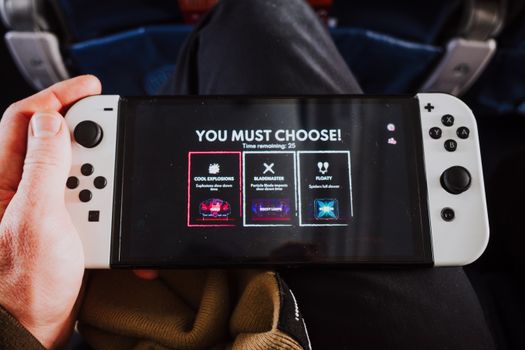
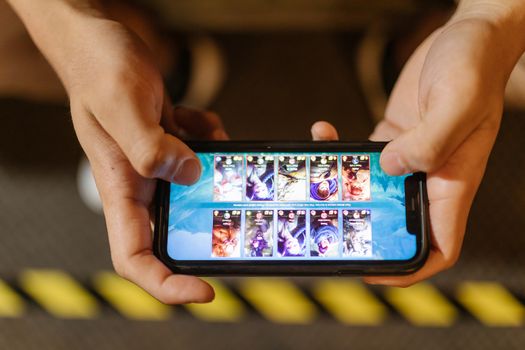
- PC Games: Mouse and keyboard allow for complex menus, drag-and-drop, and hotkeys - Console Games: Gamepad controls favor radial menus, quick toggles, and simplified layouts - Mobile Games: Touch interfaces require large, tappable buttons and minimal on-screen clutter - VR Games: UIs must be spatial and diegetic (integrated into the game world), with gesture-based inputsAccessibility is equally important. The Game Accessibility Guidelines recommend features like adjustable text size, colorblind modes, and remappable controls. For instance, “The Last of Us Part II” launched with over 60 accessibility options, earning praise from disabled gamers and critics alike.
The following table summarizes key UI adaptation strategies for different platforms:
| Platform | Main Input | UI Design Tips |
|---|---|---|
| PC | Mouse & Keyboard | Support hover states, tooltips, drag-and-drop, customizable hotkeys |
| Console | Gamepad | Use large buttons, radial menus, quick navigation with D-pad/analog stick |
| Mobile | Touch | Prioritize big touch targets, minimal text, swipe gestures, hideable panels |
| VR | Motion Controllers | Spatial menus, gaze selection, natural gestures, diegetic UI elements |
Microinteractions and Feedback: Guiding Players Subtly
Microinteractions are the tiny visual, audio, or haptic cues that guide players through the UI without overwhelming them. When designed thoughtfully, these details can dramatically improve intuitiveness and satisfaction.
Examples include:
- Button highlights or animations when hovered or pressed - Subtle sounds confirming menu selections or successful actions - Controller vibrations on critical events (e.g., losing health, unlocking a door) - Progress bars or spinners during loadingResearch from UX Magazine found that games with well-designed microinteractions saw a 25% reduction in player errors and a 30% increase in positive feedback during playtesting. One standout example is “Celeste,” which uses color shifts and tactile feedback to signal successful jumps or interactions, making the platforming experience feel smooth and responsive.
Why Intuitive UI Design in Games Drives Player Engagement
Ultimately, intuitive user interfaces are about respect: respecting the player’s time, intelligence, and desire for immersion. When players can navigate, understand, and control a game without friction, they’re more likely to stay engaged, recommend the game to friends, and return for repeat sessions.
Consider these statistics:
- According to Quantic Foundry, 72% of gamers value “ease of use” in game interfaces - Games with highly rated UIs enjoy, on average, 34% higher retention rates after the first week - The top 10 highest-grossing mobile games all feature clean, accessible UIs with strong onboardingBy prioritizing intuitive design, developers not only improve player satisfaction but also boost metrics that directly impact a game’s long-term success.